EV Charger Installation guide
What Do Smart EV Charger Features Actually Do and Do You Need Them?
What Smart EV Charger Features Actually Do and Whether You Need Them
Most smart EV charger features are genuinely useful, but not all of them will matter for your situation. Whether you need them depends on two things: how you pay for electricity, and how you use your car.
That said, if you're spending $1,800 to $4,500 on a home charging installation, it's worth understanding what you're buying before you commit to a basic unit or pay extra for a feature-loaded one.
What Makes a Charger "Smart" in the First Place
A standard Level 2 home charger (the dedicated 7kW or 22kW wall unit, not a regular power point) does one thing: it pushes electricity into your car whenever it's plugged in. That's it. No scheduling, no app, no awareness of what electricity costs at 2pm versus 11pm.
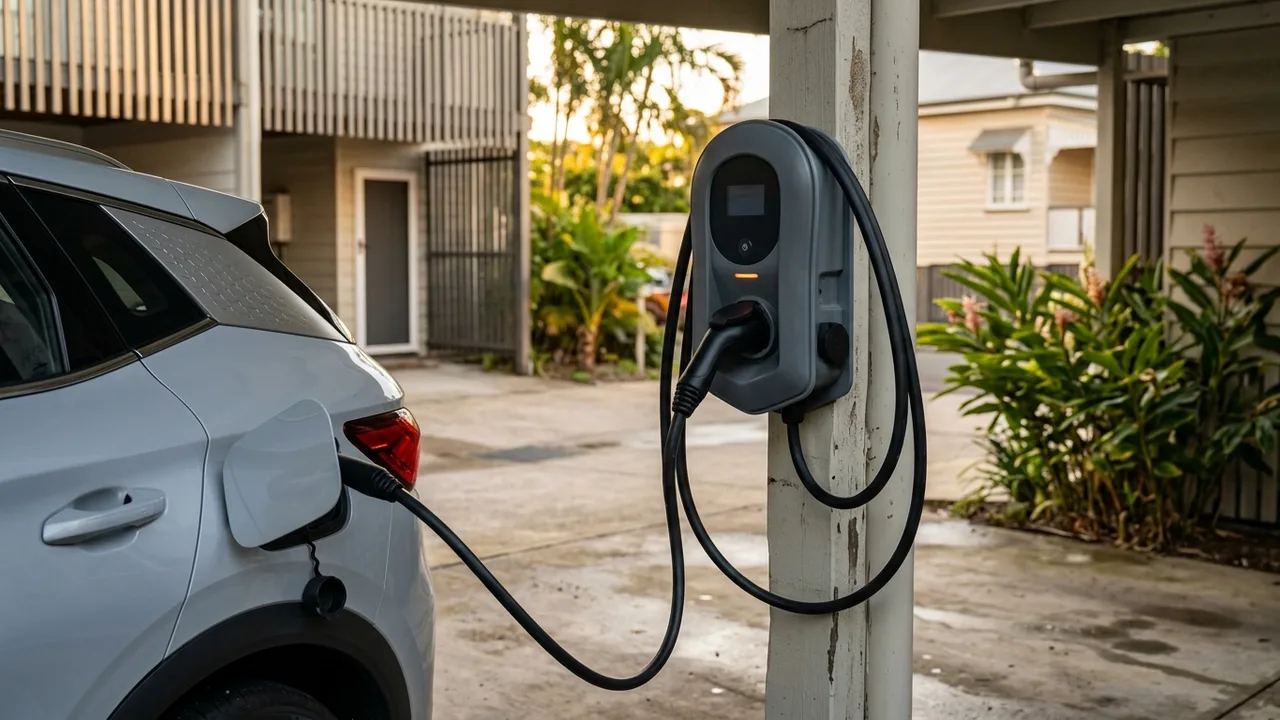
A smart charger adds a microcontroller, Wi-Fi or cellular connectivity, and firmware that lets it receive instructions. Those instructions can come from you via an app, from your solar inverter, from your energy retailer, or from a time-of-use tariff schedule baked into the charger's settings.
The hardware difference between a basic unit and a smart unit is often modest. You're mostly paying for the software layer and the communications radio. Depending on the brand and model, that premium typically runs $200 to $600 extra on the unit price alone.
Scheduled Charging and Time-of-Use Tariffs
This is the feature most Brisbane households will actually use. If you're on a time-of-use electricity plan, your rate changes depending on the time of day. Peak rates in Queensland can run 40 to 50 cents per kilowatt-hour; off-peak rates, typically late at night, can be closer to 15 to 20 cents.
For a 60kWh battery topped up from near-empty, that difference works out to roughly $15 to $20 per full charge. Most people don't do a full charge every night, but even on partial charges the savings accumulate quickly across a year.
Scheduled charging lets you set a window, say 11pm to 6am, and the charger does the rest. Your car sits plugged in, the charger waits, and it starts when the cheap rate kicks in. Some smart chargers let you set a departure time instead; you tell it you need a full battery by 7am and it works backwards to figure out when to start.
If you're on a flat-rate tariff and have no plans to switch, this feature won't save you anything. But many households in the Inner North Brisbane area, including Newstead, Windsor, and Wilston, are already on time-of-use plans or could switch to one through their retailer. It's worth checking before you buy.
Solar Integration and Excess Solar Charging
If you have rooftop solar, this is probably the most valuable smart feature available to you. The basic idea is simple: instead of exporting your excess solar to the grid for a small feed-in tariff, you redirect that surplus energy into your car.
Queensland's feed-in tariffs are generally low (often 5 to 10 cents per kWh as of recent years, though these change). If you're self-consuming that solar energy through your car instead of exporting it, you're effectively using power that might otherwise be worth 5 to 10 cents per kWh as if it were worth 30 to 45 cents per kWh, because you'd otherwise pay that rate to charge at night.
For this to work, your smart charger needs to communicate with your solar inverter or your home energy management system. Some chargers talk directly to specific inverter brands; others use a current clamp installed at your switchboard to measure what the grid is importing or exporting in real time, then ramp the charger up or down accordingly.
In practice, this is called "solar-excess" or "green" charging mode. It works best if you park at home during the day, which suits many households in suburbs like Teneriffe, New Farm, and Herston where people work from home at least part of the week. If you only ever plug in at night, solar integration gives you nothing.
One honest trade-off: solar-excess charging on a cloudy winter day in Brisbane can be slow. Your car might only pick up a few kilowatt-hours over several hours if cloud cover keeps dropping the solar output. Some chargers handle this gracefully by setting a minimum charge rate; others will keep starting and stopping, which some manufacturers advise against doing repeatedly. Ask about this before you buy a specific model.
Load Balancing and Switchboard Awareness
Older homes, and there are plenty of them across Windsor, Albion, and Wilston, often have switchboards that can't comfortably support a full 32-amp EV charger circuit on top of everything else running in the house.
Load balancing (sometimes called dynamic load management) is a smart charger feature that monitors total household consumption and dials back the charging rate when other big loads are running, such as an air conditioner, oven, or hot water system. It keeps the total draw under a set threshold so you don't trip a breaker or overload the main switch.
This feature can sometimes reduce the scope of a switchboard upgrade, depending on your existing setup. It's not a substitute for a proper electrical assessment, but it does give the system more flexibility. For homes in older character suburbs where a full switchboard upgrade to support EV charging would otherwise be needed, it's worth discussing with your electrician before assuming the worst.
Remote Monitoring, App Control, and Diagnostics
Most smart chargers come with an app that shows you how much energy you've used, your estimated charging cost, and the current session status. Some let you start or stop a charge remotely.
Is this useful? Honestly, it depends on your personality. If you want to know your actual home charging cost per month, the energy monitoring data is genuinely helpful, especially when your electricity bill lumps everything together. It can also help you spot if something is drawing more power than expected.
Remote start/stop is handy if you get home late, plug in, and then remember your off-peak window doesn't start for another two hours. Rather than going back to the garage, you can just schedule it from the couch.
The app quality varies a lot between brands. Some are polished and reliable; others are clunky and update infrequently. This is harder to assess before buying. Reading reviews from Australian users specifically is worthwhile, because server locations and support responsiveness can differ from what international reviewers experience.
OCPP and Future-Proofing
Open Charge Point Protocol (OCPP) is an open standard that lets chargers talk to third-party energy management platforms, virtual power plant (VPP) programmes, and grid-management services. It's more relevant to commercial and fleet installations today, but some Australian energy retailers are starting to offer home charging programmes that require OCPP-compatible hardware.
For most homeowners in the Newstead area right now, OCPP is a "nice to have, not essential" feature. If you're buying a charger you expect to keep for 10 years, choosing one that supports OCPP 1.6 or 2.0 costs little extra and keeps your options open. If there's a meaningful price difference and none of these programmes interest you, it's reasonable to skip it.
What We'd Actually Recommend
If you're on a flat-rate tariff, don't have solar, and plug in overnight every night without variation, a basic Level 2 charger will serve you well. There's no point paying for features you won't configure.
If you have solar, or you're on (or willing to switch to) a time-of-use plan, a smart charger will very likely pay for the premium within a year or two, depending on how much you drive.
If you're in an older home in Windsor, Wilston, or Albion and your switchboard is already close to capacity, load balancing is worth discussing as part of your installation assessment.
The honest summary: smart features are real tools, not marketing fluff, but only if your situation actually uses them. When we quote EV charger installations across Newstead and the surrounding Inner North suburbs, we talk through your solar situation, your tariff, and your daily routine before recommending a model. A five-minute conversation usually makes the right answer fairly obvious.
If you'd like to talk through which features are worth it for your setup specifically, give us a call or send us a message. No pressure, just a straight answer.
Quick answers